
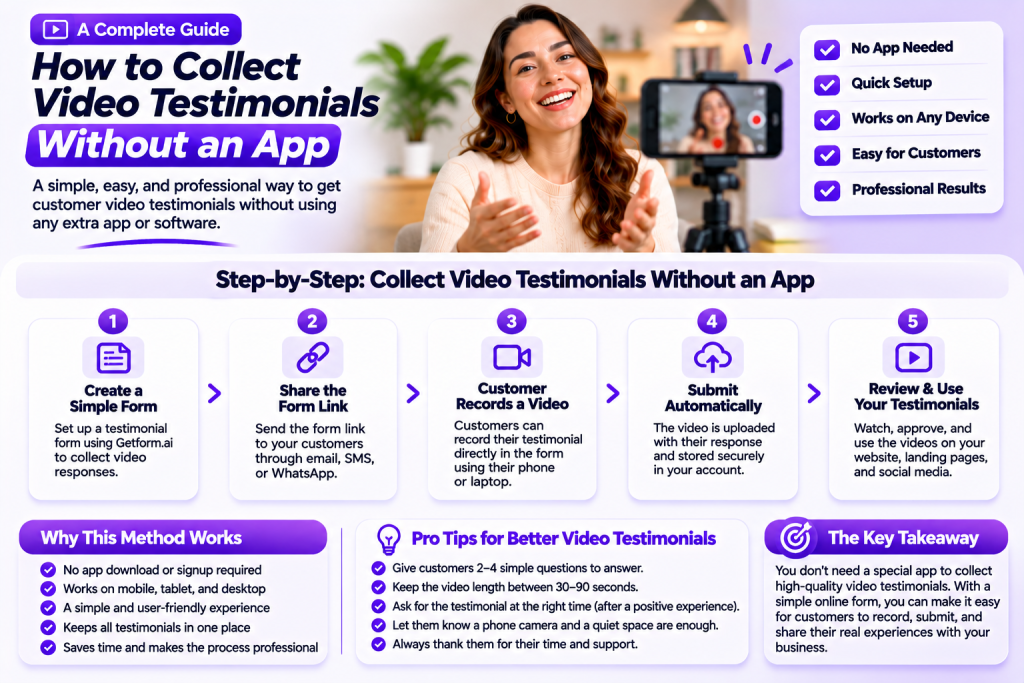
Video testimonials help businesses build trust, demonstrate customer satisfaction, and show potential buyers what it’s really like to work with them.
But collecting these videos doesn’t have to involve asking customers to download a special application, create an account, or learn complicated software.
With a simple online process, customers can record and submit their experiences using devices they already own.
In this guide, you’ll learn how to collect video testimonials without an app, which tools you can use, and how to make the experience easy for your customers.
Why Collect Video Testimonials Without an App?
Every additional step creates an opportunity for customers to abandon the process.
If someone needs to download an app, register an account, verify an email address, and learn how to use a new platform, they may decide it’s not worth the effort.
An app-free approach removes many of these barriers.
Here are some important benefits:
- Less friction: Customers don’t need to install additional software.
- Easy access: A shareable link can be opened from an email or message.
- Mobile convenience: Customers can use their existing smartphone cameras.
- Simpler submissions: Feedback can be collected through an online form.
- Better organization: Responses can be gathered in one place instead of scattered across messages and email attachments.
The objective is simple: make recording and submitting a testimonial as convenient as possible.
1. Use an Online Testimonial Collection Form
One of the easiest ways to collect video testimonials without an app is through an online form.
Instead of asking customers to send video files manually, provide a dedicated form where they can submit their feedback.
A well-designed form should include:
- A short introduction explaining the request.
- Clear instructions for recording a video.
- A few questions to guide the customer.
- Video submission functionality.
- Optional fields for the customer’s name and relevant details.
- A clear submission button.
Platforms such as Getform.ai allow businesses to create online forms for collecting video, audio, and text feedback through available form fields.
This gives customers a straightforward way to share their experiences without needing a separate testimonial application.
2. Share a Direct Link With Customers
Once your collection form is ready, share its link with customers.
You can send the link through several communication channels:
Email: Include a short, personal message explaining why you’d appreciate their feedback.
SMS: Send a concise request with the form link for customers who prefer text messages.
WhatsApp: Share the link through an existing customer conversation.
Post-purchase messages: Include the request in your follow-up communication after a successful purchase or completed service.
Keep the message simple. Explain what you need, how long it should take, and where customers can submit their videos.
Avoid overwhelming people with lengthy instructions.
3. Let Customers Record With Their Existing Devices
Customers don’t need professional cameras or recording equipment to create useful testimonials.
Most modern smartphones, tablets, and laptops have cameras that are suitable for recording a short customer experience video.
Give customers a few simple recommendations:
- Record in a quiet environment.
- Face a window or another source of natural light.
- Position the camera at eye level.
- Speak naturally and clearly.
- Keep the video short and focused.
Explain that professional editing, expensive equipment, and a perfect background aren’t necessary.
The customer’s genuine experience matters more than production quality.
4. Ask Simple Questions Before Recording
Many customers are willing to share feedback but struggle to decide what to say.
A blank recording screen can feel intimidating.
Provide a few questions that help them organize their thoughts.
For example:
- What problem were you trying to solve?
- Why did you choose our business?
- What was your experience like?
- What did you appreciate most about the product or service?
- Would you recommend us to someone else?
You don’t need to include every question. Three or four relevant prompts are usually enough.
Encourage customers to answer naturally rather than reading from a prepared script.
5. Make the Submission Process Clear
A simple collection experience should explain exactly what customers need to do.
Avoid assuming that everyone understands how online video submissions work.
Provide straightforward instructions, such as:
- Open the testimonial form.
- Read the recording instructions.
- Record or select a video using the available submission options.
- Complete any requested details.
- Submit the response.
The exact recording and upload process depends on the form platform and the available fields.
Before sharing your form, test it yourself on both a desktop computer and a smartphone. Confirm that the video submission method works as expected.
6. Send Requests at the Right Time
Even the best collection form won’t produce strong results if customers receive the request at the wrong moment.
Ask for testimonials when customers have experienced the value of your product or service.
Good opportunities include:
- After a successful project.
- Following a positive customer review.
- When a customer reaches an important milestone.
- After a successful appointment or consultation.
- When someone voluntarily shares positive feedback.
A timely request feels natural because the customer’s experience is still fresh.
Personalize your message instead of sending a generic request to every customer.
7. Follow Up Without Being Pushy
Customers may open your message, intend to respond, and then forget about it.
A friendly reminder can help bring the request back to their attention.
For example:
“Hi! Just checking in to see if you had a chance to share your experience. We’d really appreciate a short video if you’re comfortable recording one. Thanks again for your support!”
Keep reminders respectful and avoid contacting customers repeatedly.
If someone declines or doesn’t want to participate, respect their decision.
8. Organize Your Video Testimonials
As your business collects more testimonials, keeping everything organized becomes increasingly important.
Create a consistent process for reviewing and managing submissions.
You may want to organize feedback by:
- Customer name.
- Product or service.
- Submission date.
- Project or campaign.
- Permission to publish.
- Review status.
Also, establish a process for checking video quality and confirming that customers have agreed to the intended use of their recordings.
A well-organized collection process makes it easier to find relevant testimonials when creating marketing content.
9. Choose the Right Tool for App-Free Collection
You don’t necessarily need a dedicated mobile application to collect customer video feedback.
What matters is choosing a solution that supports your collection requirements.
Consider these factors when evaluating a platform:
| Feature | Why It Matters |
|---|---|
| Shareable form links | Customers can access the form easily |
| Video submission support | Allows customers to provide video feedback |
| Mobile-friendly design | Makes recording and submitting more convenient |
| Custom questions | Helps guide customer responses |
| Response management | Keeps submissions organized |
| Privacy controls | Helps protect customer information |
Getform.ai is one option for businesses that want to create forms for collecting video, audio, and text feedback.
You can use a dedicated form to ask questions and gather customer responses without building a separate app for testimonial collection.
Remember that collecting videos and hosting or displaying them on your website are different requirements. Choose additional tools if you need separate video storage, editing, or publishing functionality.
Example: A Simple Message for Collecting Video Testimonials
Here is a short message you can send when sharing your testimonial form:
“Hi! We really appreciate you choosing our business.
We’d love to hear about your experience in a short video testimonial. It doesn’t need to be professionally recorded. A simple recording using your phone is absolutely fine.
You can share your feedback through our online form whenever it’s convenient.
Thank you for taking the time to support us!”
A friendly request helps customers understand what you’re asking for without making the process feel like an obligation.
Frequently Asked Questions
1. Can I collect video testimonials without an app?
Yes. You can use an online form with video submission functionality and share its link with customers. They can access the form through a supported web browser without installing a dedicated application.
2. Do customers need to create an account?
Not necessarily. Some online form solutions allow customers to submit responses without creating an account. Check the platform’s submission requirements before sharing your form.
3. Can customers record testimonials on their phones?
Yes. Customers can use their smartphone cameras to record short videos. The available recording and upload options depend on the form platform and device.
4. How long should a customer testimonial video be?
A video between 30 and 90 seconds is often sufficient. Encourage customers to focus on their experience and answer a few simple questions.
5. What is the easiest way to share a testimonial collection form?
You can share the form link through email, SMS, WhatsApp, or other communication channels your customers already use.
6. Can I collect video and written testimonials together?
Yes. You can create a feedback form that includes video and text submission options, depending on the capabilities of your chosen form platform. Getform.ai supports collecting video, audio, and text feedback through available form fields.
Conclusion
Collecting video testimonials doesn’t have to involve building an app or asking customers to install additional software.
A simple online form, a shareable link, clear recording instructions, and a few thoughtful questions can create a convenient experience for customers.
Focus on removing unnecessary steps and making the process feel natural. Ask at the right time, respect customers’ preferences, and keep submissions organized.
With an app-free testimonial collection process, your business can make it easier for satisfied customers to share their experiences and help potential buyers make confident decisions.