
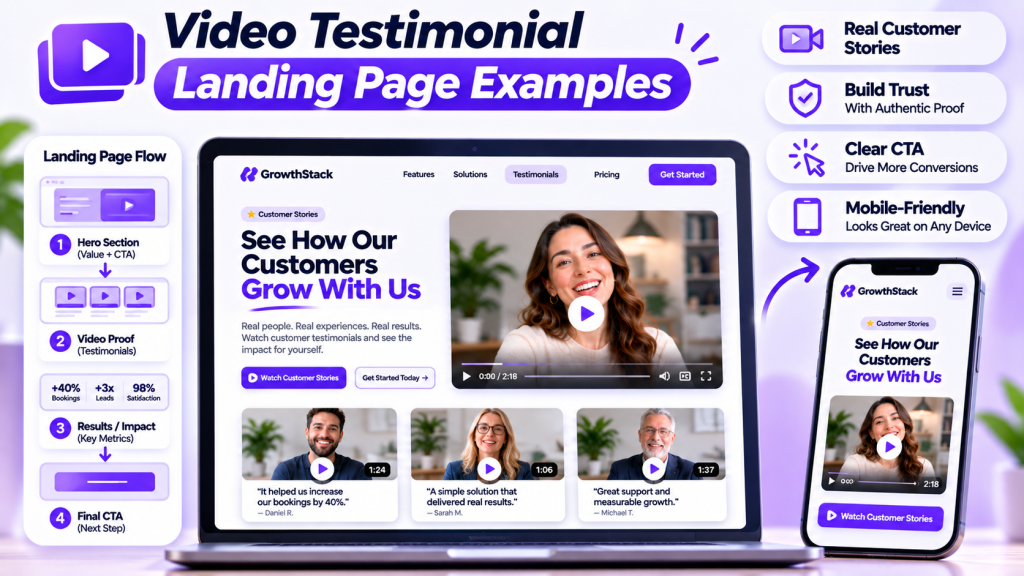
When potential customers visit your website, they want to know whether they can trust your business. Your services and marketing messages may explain what you offer, but real customer experiences can make your message more convincing.
Video testimonials help visitors hear directly from people who have already purchased your product or used your service. When these videos are presented on a well-designed landing page, they can build credibility, answer questions, and encourage visitors to take action.
In this guide, we’ll explore different video testimonial landing page examples, explain what makes each design effective, and share practical tips for creating a page that turns customer stories into valuable social proof.
What Is a Video Testimonial Landing Page?
A video testimonial landing page is a webpage designed to showcase customer experiences through video content.
It gives visitors an opportunity to watch real customers explain their experiences, discuss the problems they faced, and describe the value they received.
A typical page may include:
- A clear headline and introduction
- Featured customer testimonial videos
- Customer names and relevant details
- Results and success stories
- Written reviews and ratings
- A clear call to action
The main purpose is to help visitors understand your business through authentic customer experiences rather than relying only on promotional claims.
7 Video Testimonial Landing Page Examples
There are several ways to design a testimonial landing page. The right layout depends on your industry, audience, and the number of customer videos you have collected.
1. Featured Customer Video Landing Page
<AsyncImage query=”modern professional website landing page hero featuring large customer testimonial video player clean white purple UI” aspectRatio=”16:9″ width=”100%”/>
This design places one important customer testimonial in the main hero section.
The video appears alongside a strong headline, a short description, and a call-to-action button.
Why this design works:
- Immediately introduces visitors to a real customer experience.
- Keeps the main message simple.
- Makes the featured testimonial easy to find.
- Gives visitors a clear next step.
Best for: Agencies, consultants, SaaS companies, and service businesses.
2. Video Testimonial Grid
<AsyncImage query=”modern website testimonial section three column video testimonial cards grid clean professional design” aspectRatio=”16:9″ width=”100%”/>
A video grid displays multiple customer testimonials in organized cards.
Each card can include a video thumbnail, customer name, short description, and play button.
Why this design works:
- Displays several customer experiences together.
- Makes testimonials easy to browse.
- Provides different perspectives.
- Creates a professional and organized appearance.
Best for: E-commerce stores, established brands, agencies, and businesses with multiple customers.
3. Customer Success Story Landing Page
<AsyncImage query=”B2B customer success story website landing page video case study results metrics professional design” aspectRatio=”16:9″ width=”100%”/>
This layout combines customer videos with detailed success stories.
Rather than showing only a video, the page explains the customer’s original challenge, the solution provided, and the results achieved.
Why this design works:
- Provides context behind the testimonial.
- Demonstrates real customer outcomes.
- Helps visitors understand the value of a service.
- Builds credibility through specific examples.
Best for: B2B companies, marketing agencies, consultants, and software businesses.
4. Before-and-After Testimonial Landing Page
<AsyncImage query=”before and after transformation customer testimonial landing page design fitness beauty clinic website” aspectRatio=”16:9″ width=”100%”/>
This format highlights the difference between a customer’s situation before and after using a product or service.
The page can include video feedback, relevant images, and a short explanation of the customer’s experience.
Why this design works:
- Makes customer transformations easier to understand.
- Shows the problem and the outcome together.
- Helps visitors relate to similar experiences.
- Provides visual context alongside customer feedback.
Best for: Fitness businesses, beauty brands, aesthetic clinics, and hair restoration services.
5. Video Testimonial Carousel
<AsyncImage query=”modern website video testimonial carousel slider with customer video cards clean UI design” aspectRatio=”16:9″ width=”100%”/>
A carousel allows visitors to browse multiple customer videos using navigation arrows or swipe controls.
It is particularly useful when you want to showcase several testimonials without making the page excessively long.
Why this design works:
- Saves page space.
- Keeps the layout clean.
- Allows visitors to explore different customer stories.
- Works well on many landing page designs.
Best for: SaaS businesses, online stores, agencies, and service providers.
6. Testimonial Section Beside Pricing
<AsyncImage query=”modern SaaS pricing page with customer video testimonial beside pricing plans landing page design” aspectRatio=”16:9″ width=”100%”/>
This layout places a customer testimonial near the pricing section.
When visitors are comparing plans or evaluating the cost of a service, a relevant customer experience can help them better understand the value being offered.
Why this design works:
- Provides reassurance near an important decision.
- Connects customer experiences with the offer.
- Helps address concerns about value.
- Supports the purchasing decision.
Best for: Subscription businesses, SaaS platforms, agencies, and online services.
7. Dedicated Customer Video Library
<AsyncImage query=”professional website customer video testimonial library page with categories filter and video thumbnail grid” aspectRatio=”16:9″ width=”100%”/>
A dedicated video library brings all customer testimonials together in one place.
Visitors can explore different stories based on services, products, industries, or customer categories.
Why this design works:
- Organizes a large collection of testimonials.
- Makes customer stories easier to discover.
- Provides more information to potential buyers.
- Creates a central destination for social proof.
Best for: Established companies, large agencies, SaaS brands, and businesses with many customer testimonials.
Essential Elements of an Effective Video Testimonial Landing Page
A good design is important, but the content and structure of your landing page matter just as much.
Here are the key elements to include.
1. A Clear Headline
Your headline should communicate what visitors will discover on the page.
Examples include:
- Real Customers. Real Experiences. Real Results.
- See Why Customers Choose Us.
- Discover What Our Customers Are Saying.
- Success Stories From People We’ve Helped.
Keep the headline simple and relevant to your audience.
2. High-Quality Customer Videos
Choose authentic testimonials that explain real customer experiences.
Videos should be clear, easy to watch, and relevant to the products or services you offer.
You don’t need every testimonial to look professionally produced. Authenticity and a clear message are more important than unnecessary editing.
3. Customer Names and Details
Where customers have given permission, include their names, roles, businesses, or relevant details.
This helps visitors understand who is sharing the experience and makes the testimonial more informative.
4. Results and Achievements
If customers have achieved measurable results, highlight them alongside their testimonials.
For example:
- More qualified leads
- Increased appointments
- Improved customer satisfaction
- Time saved through automation
- Better business performance
Use accurate, verifiable figures and explain the context behind them.
5. Strong Calls to Action
Your landing page should make the next step clear.
Depending on your business, this could be:
- Book a Consultation
- Request a Free Quote
- Start Your Free Trial
- Explore Our Services
- Get Started Today
Place calls to action where they naturally support the visitor’s decision.
How to Create a Video Testimonial Landing Page
You can create an effective testimonial page without making the process unnecessarily complicated.
Step 1: Collect Customer Testimonials
Start by inviting customers to share their experiences.
Create a simple submission form and ask questions such as:
- What problem were you trying to solve?
- Why did you choose our business?
- How was your experience?
- What results did you achieve?
- Would you recommend our service?
Getform.ai can help you collect video, audio, and written feedback through available form fields.
Step 2: Select Your Best Videos
Review the submitted testimonials and choose videos that are relevant to your audience.
Look for customer stories that explain genuine experiences, address common questions, or demonstrate meaningful results.
Step 3: Choose a Landing Page Layout
Select a design that fits your content.
For example, use a featured video if you have one particularly strong testimonial. Choose a grid if you want to display multiple customer experiences.
Step 4: Write Your Landing Page Content
Create a headline, introduction, testimonial descriptions, and calls to action.
Keep the language natural and focus on what visitors want to know.
Step 5: Add Videos to Your Website
Use a suitable video hosting platform or testimonial display tool to embed your videos.
Make sure the video player works correctly and matches your website’s design.
Step 6: Optimize for Mobile
Check how the landing page looks on smartphones and tablets.
Video players, testimonial cards, text, and buttons should all remain easy to use on smaller screens.
Step 7: Test and Improve
After publishing, monitor important performance indicators such as:
- Video plays
- Average engagement
- Call-to-action clicks
- Form submissions
- Consultation bookings
- Conversion rate
Use this information to identify areas that need improvement.
How Getform.ai Helps With Video Testimonial Collection
Creating a professional testimonial landing page starts with collecting customer feedback.
Getform.ai helps businesses create forms that collect video, audio, and written responses through available form fields.
You can use it to:
- Create a dedicated testimonial submission form.
- Add questions to guide customer responses.
- Share a form link with customers.
- Collect feedback in one place.
- Review submissions before selecting testimonials for publication.
Once you have collected and approved your customer videos, you can use a suitable video hosting platform or website widget to display them on your landing page.
This creates a more organized process, from collecting customer experiences to presenting them on your website.
Best Practices for Designing Testimonial Landing Pages
Keep these tips in mind when building your page:
Use genuine customer experiences: Avoid fabricated reviews or exaggerated claims. Authentic testimonials help establish trust.
Keep the layout simple: Make videos easy to find and avoid overcrowding the page with unnecessary elements.
Choose relevant testimonials: Display customer stories that relate to the products or services visitors are exploring.
Optimize video performance: Use reliable hosting, optimized thumbnails, and lazy loading where supported.
Make the page mobile-friendly: Ensure visitors can watch videos and interact with buttons on different devices.
Get customer permission: Always obtain approval before publishing customer videos or identifying information.
Use clear calls to action: Give visitors a logical next step after watching customer stories.
Frequently Asked Questions
What should a video testimonial landing page include?
It should include a clear headline, customer testimonial videos, relevant customer information, supporting results, and a strong call to action.
How many videos should I display on a testimonial landing page?
Start with three to five strong and relevant testimonials. You can add more as your collection grows, provided the page remains easy to navigate.
Should video testimonials be placed above the fold?
A featured testimonial near the top can help establish trust early. However, your main headline and primary call to action should also remain easy to find.
What is the best layout for video testimonials?
It depends on your content. A featured video works well for one important customer story, a grid is useful for multiple testimonials, and a carousel helps save space.
Can I create a video testimonial landing page using WordPress?
Yes. You can use WordPress page builders such as Elementor to create custom sections, embed videos, and design a dedicated testimonial page.
How can I collect customer videos for my landing page?
You can invite customers to submit their experiences through a dedicated form. Getform.ai can help collect video, audio, and written feedback through its available form fields.
Final Thoughts
Video testimonial landing pages help businesses turn customer experiences into meaningful social proof. A well-designed page makes it easier for visitors to explore real stories, understand the value of your services, and feel more confident about taking the next step.
Start with authentic customer videos, choose a layout that suits your audience, and keep the design focused on trust and usability.
With an organized collection process and a professional landing page, customer testimonials can become a valuable part of your website and marketing strategy.